Account & Data
You have the right to request access to and deletion of your personal information. Follow the instructions below to delete or access any personal information we may hold about you (e.g. your email and profile content).
Request Your Data
To receive a copy of all personal data we hold about you, simply send us an email. We'll respond within 30 days with your complete data export.
Delete Your Account
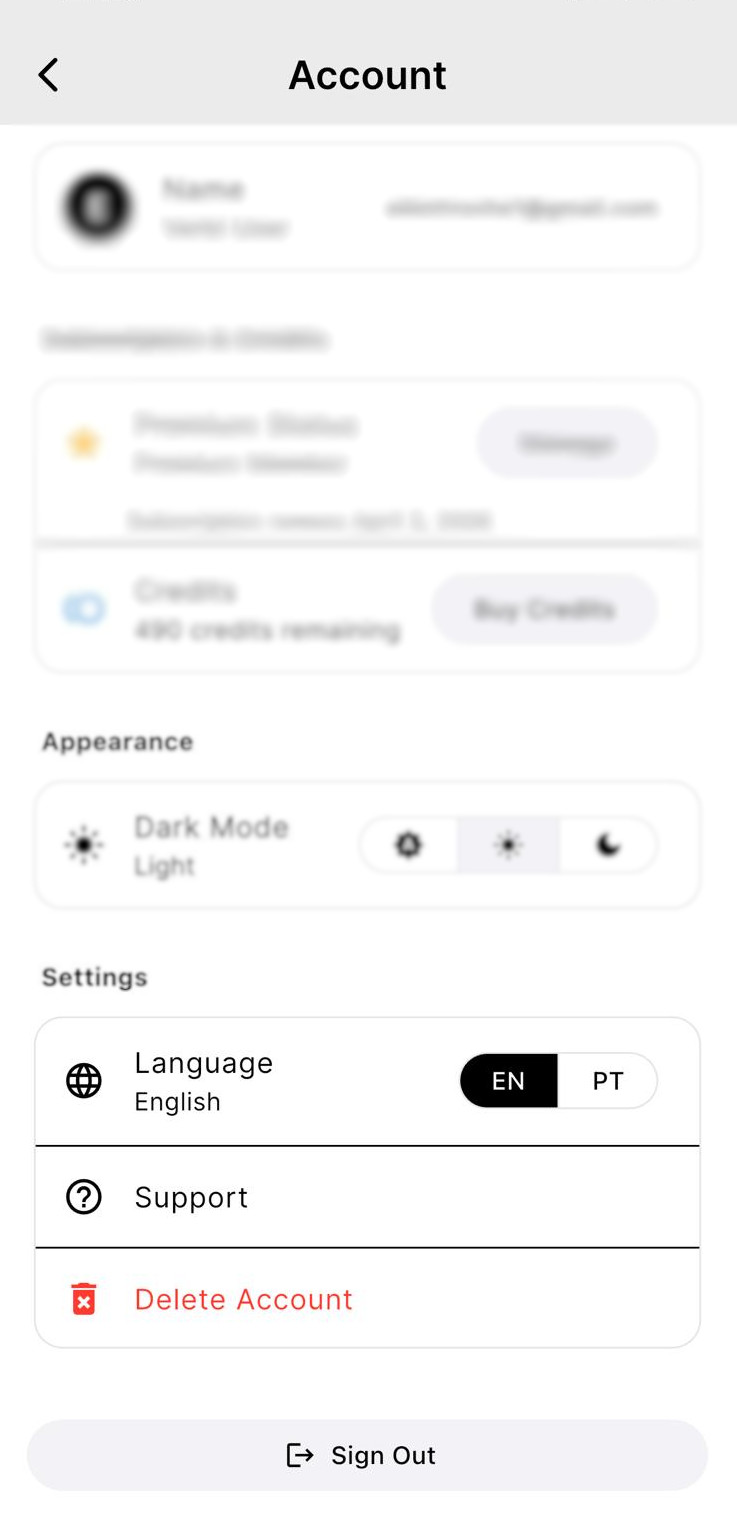
You can permanently delete your account and all associated data directly from the Verbi app.
In-App Deletion
- Open the app and tap your profile icon to access your account
- Scroll to Settings and tap "Delete Account"
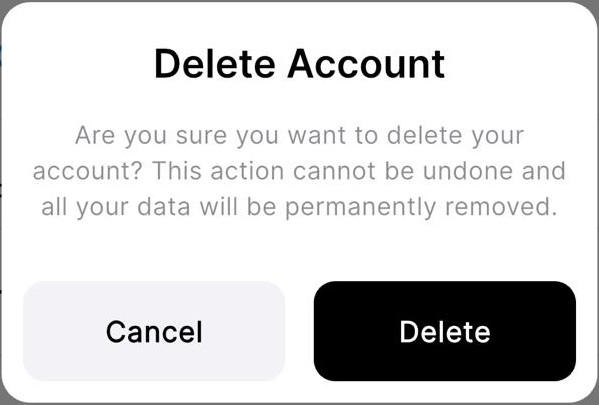
- Confirm deletion by tapping "Delete" in the confirmation dialog

Email Deletion Request
Can't access the app? Email us at elliott@verbi.pro with your registered email address and we'll process your deletion request within 7 business days.
Important: Account deletion is permanent and cannot be undone. All your learning progress, saved content, and account information will be permanently erased.